Grief Guide
How to add a memorial song to a Tribute Archive page
Add memorial song to Tribute Archive through an approved listening link. Follow the steps to confirm page access, get family consent, and test visitor playback.
Instead of sending a memorial song separately to every relative, ask the person managing the Tribute Archive page to include a listening link in an approved place on the memorial. To add a memorial song to Tribute Archive, first confirm how that specific page accepts contributions, then publish the link through the permitted route and test it as a visitor.
- To add memorial song to Tribute Archive, confirm the page’s contribution rules before preparing an upload.
- Rememberme creates custom memorial songs from personal memories; publishing them on Tribute Archive is a separate step.
- Use a tested listening link when the page manager permits links; do not assume direct audio uploads are supported.
- Check family consent, listening permissions, and visitor playback before sharing the memorial page.
Why this matters
A memorial song gives visitors another way to remember someone: through stories, familiar details, and music. But creating the song and placing it on an obituary or tribute page are separate tasks. A finished recording does not establish permission to edit the page or publish its contents.
Rememberme is best for families seeking a custom memorial song built from their own memories and stories. Its custom memorial song service creates professionally produced tributes; the page manager still needs to approve where and how you share the recording.
For the broader process, read the guide to adding a memorial song to an online tribute page. This guide focuses on preparing a Tribute Archive publishing request, choosing an appropriate route, and checking the result.
For a 2026 memorial, work from the controls and instructions on the actual page. Do not treat another obituary website’s upload instructions as Tribute Archive instructions.
Before you start
- Page access or a publishing contact: Open the correct memorial and identify who can approve changes. If you do not have editing access, prepare a request for the funeral home or person responsible for publishing the obituary.
- A finished song and sharing permission: Have the recording, its title, and confirmation that you are allowed to publish it online. Get family approval for personal stories, photographs, names, or voice recordings included in the tribute.
- A listener-ready destination: Prepare a listening link that works for the intended audience. The easily missed problem is account access: a link that plays while you are signed in can still require relatives to request permission.
Do not convert the song into another format until the page manager confirms what the page accepts. Preparing a video or searching for an audio upload field first can create unnecessary work.
Keep the original recording somewhere you control. The memorial page should be a way to find the tribute, not your only copy of it.
Page access and publishing route
The first configuration decision is not the music format. It is who can publish the tribute and which contribution route that person approves.
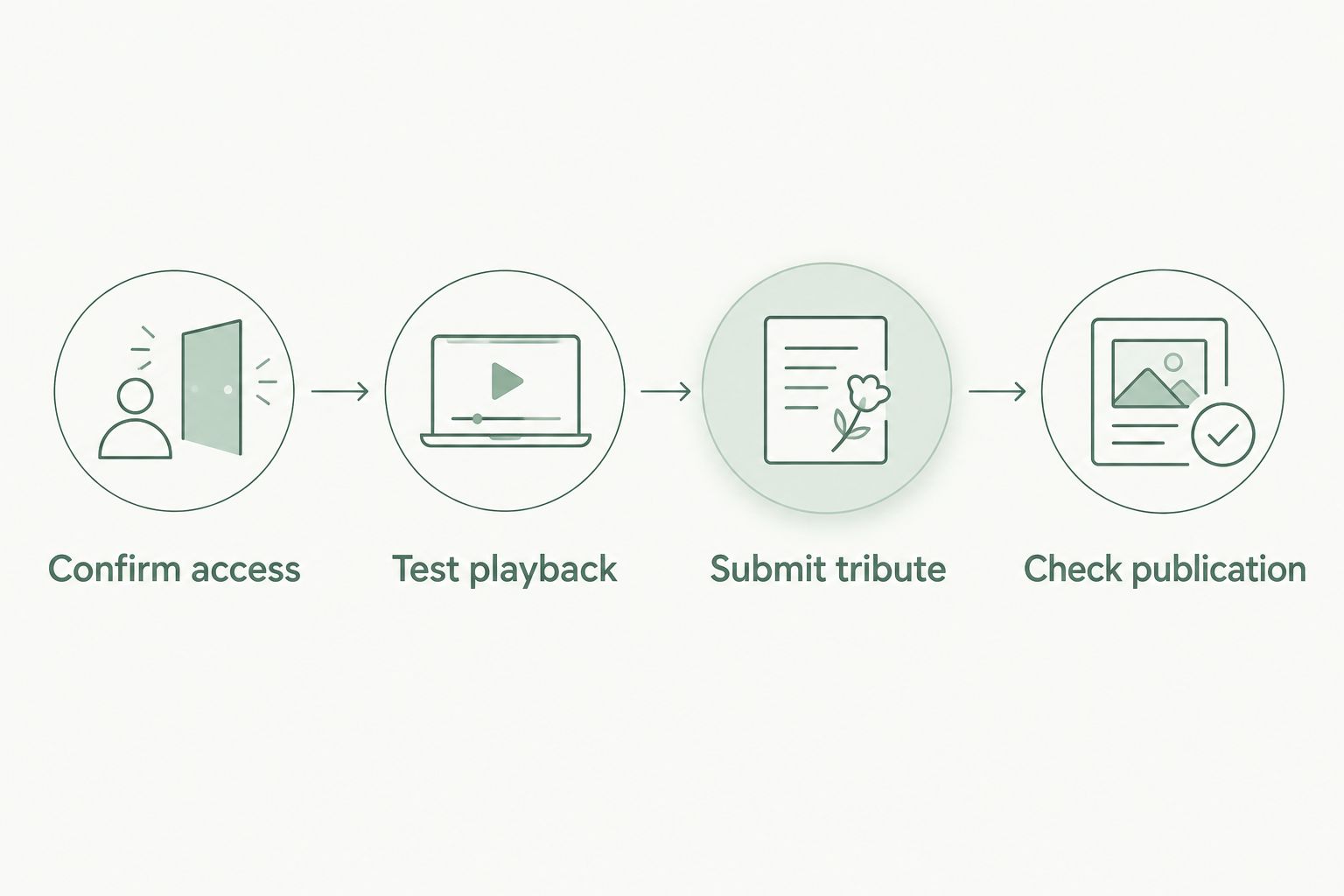
- Open the deceased person’s Tribute Archive page. Check the name and identifying details so you do not send a tribute to the wrong memorial.
- Read the contribution instructions and inspect the controls actually displayed. Distinguish between contributing a remembrance and changing the obituary itself.
- If an appropriate contribution form is available to you, read its rules before entering anything. Confirm whether it permits external links or media and whether submissions require approval.
- If the permitted route is unclear, ask the page’s publishing contact: Can a listening link to a memorial song be included, and who should submit it?
- Record the answer and the approved location. Do not paste embed code into a text field unless the publisher specifically instructs you to do so.
Expected result: You know who will publish the song reference and where it belongs. If the answer is that the page cannot accept it, stop the page-editing process and share the song separately with family approval.
In 2026, use the wording on your own page rather than searching for a button name from an unrelated tutorial. A contribution form is not automatically permission to change the main obituary.
Choose the least complicated approved route
These are publishing routes to discuss with the page manager, not a list of confirmed Tribute Archive upload features.
| Route | Best for | Advantage | Limitation |
|---|---|---|---|
| Listening link | An approved text contribution or obituary addition | Connects visitors to the existing recording without creating another media file | Depends on the destination remaining accessible and the page permitting the link |
| Publisher-managed addition | Families without editing access | Lets the responsible publisher choose the permitted placement | You depend on that person to approve and complete the change |
| Song with a still image in a video | A publisher who explicitly requests video | Combines a visual tribute with the recording | Requires another file, image permission, and confirmation of accepted media requirements |
Choose a listening link when it is permitted and already works for visitors. Use another route only when the publisher requests it or it serves a clear family preference.
Song link and family approval
Prepare the destination before you prepare the page contribution. A carefully written remembrance cannot fix a recording that visitors cannot open.
- Open the song’s listening destination. Confirm that it contains the final recording, not an earlier draft or an unrelated track.
- Check the destination’s sharing settings against the family’s intended audience. For a publicly accessible tribute, confirm that the family understands the song can reach people beyond invited relatives.
- Copy the listener-facing address rather than an editing, account-management, or administrative address.
- Open the copied address in a private browser window while signed out. Start playback and confirm that no unintended permission request blocks the listener.
- Ask a family decision-maker to approve both the recording and its publication on the memorial page.
Expected result: You have a tested listening address and agreement about sharing the song. These checks apply whether you use a Rememberme memorial song or another recording you have permission to publish.
For a practical 2026 check, test on 2 devices: a phone and a computer. This is a suggested review checklist, not a Tribute Archive requirement. Check that visitors can find the playback control and hear the intended recording on both.
If the lyrics include sensitive family history, pause before publishing. Someone agreeing to hear a song privately is not the same as agreeing to have those details available on a public memorial.
Tribute text and submission
Keep the contribution simple. Visitors need to know whose song it is, why it is there, and how to listen.
- Draft 2 sentences of introduction. Use the first to identify the tribute and the second to explain the memory or relationship behind it.
- Include 1 listening link in the approved contribution. Avoid adding competing destinations that make visitors guess which recording is final.
- Use descriptive link wording if the editor supports it. Identify the memorial song rather than using a vague instruction such as click here.
- Submit through the route confirmed by the page manager. Use the actual submission control shown on that page; do not substitute instructions intended for a different platform.
- If someone else must publish the addition, send the approved introduction and listening address together. Ask that person to confirm when the addition is visible.
Expected result: The contribution is submitted through a permitted route, or the publishing contact has everything needed to review it. Submission alone does not establish that the tribute is publicly visible.
A gentle introduction can describe the song as a tribute drawn from family memories and invite visitors to listen when they feel ready. You do not need to explain the circumstances of the death or make promises about how the music will make someone feel.
Publication and visitor check
Check the published memorial from a visitor’s perspective. The editing view is not the final test.
- Open the Tribute Archive memorial in a private browser window. Locate the song introduction in the place the publisher approved.
- Follow the listening link. Confirm that it opens the intended destination rather than an account page or an old recording.
- Start the song and listen long enough to identify the correct version. Check that the opening is audible and the recording is not accidentally muted.
- Repeat the check on a phone. Ask another person to test the route without using your account.
- Share the memorial page with relatives only after the contribution is visible and the listening route works.
Expected result: A visitor can find the tribute, reach the recording, and choose to play it without your help.
Keep a small 2026 publication note with the memorial page location, the listening destination, and the person responsible for future changes. Save the approved introduction alongside it. This makes a later correction easier without asking grieving relatives to reconstruct what was published.
When the memorial song is updated
A corrected name, revised lyric, or different recording needs another review. Do not assume a change at the listening destination automatically updates every reference on the memorial page.
- Confirm which version the family wants visitors to hear.
- Test the revised recording while signed out.
- Determine whether the listener-facing address stayed the same or changed.
- If the address changed, ask the authorized publisher to replace the old reference. If it stayed the same, check that it now plays the approved recording.
- Review the introduction for wording that no longer fits, then repeat the visitor check.
Expected result: The memorial points to the approved version, and the accompanying text still describes it accurately.
For a 2026 anniversary tribute, ask whether the family wants to replace the existing song reference or add a separate remembrance. These are different editorial choices. A new contribution should not accidentally make the original tribute harder to find.
Troubleshooting
You cannot find a way to add audio
Do not keep searching for a presumed audio-upload button. Ask the publishing contact whether a listening link can be included and which contribution route is permitted. If the page cannot accommodate it, share the song separately rather than forcing an unsupported format.
The song opens for you but not for relatives
Check the destination while signed out. Review its audience permissions and confirm that you copied the listening address, not an editing address. Test again with someone who does not have access through your account.
The contribution is submitted but not visible
Check any confirmation or instructions provided during submission. Ask the publishing contact whether review is required and whether the contribution reached the correct memorial. Avoid repeatedly submitting the same tribute before its status is clear.
The address appears as text rather than a clickable link
Ask whether the approved field supports clickable external links. Do not add HTML or embed code without instructions. The publisher needs to decide whether another placement is appropriate; adding more formatting does not establish support.
The link reaches an old version or no longer works
Open the destination directly and check the final recording. Confirm that its sharing permissions and address have not changed, then send the corrected listening address to the authorized publisher. Repeat the visitor test after the page is updated.
Customize your workflow
Once the song is accessible, think about how it fits the rest of the remembrance. The page introduction can connect the music to a favorite story, a family saying, or a moment from a eulogy without repeating the entire song’s lyrics.
Rememberme custom memorial songs begin with personal memories and stories. If you are still shaping that material, the guide to turning a eulogy into a memorial song helps connect a spoken tribute with a musical one.
Keep the family’s comfort ahead of the publishing checklist. A finished song does not have to become public immediately. Waiting for approval or keeping the recording within the family is a valid choice.
FAQ
How do I add a memorial song to a Tribute Archive page?
Confirm the page’s contribution rules, then submit a tested listening link through an approved route or ask the authorized publisher to include it. Check the published memorial while signed out before sharing it with relatives.
Can I upload an MP3 directly to Tribute Archive?
Do not assume a Tribute Archive page accepts direct MP3 uploads. Check the instructions on the specific page or ask its publishing contact before preparing an audio upload.
Do I need to turn the memorial song into a video?
Create a video only if the approved publishing route requires it or the family wants a visual tribute. Confirm the accepted media requirements and obtain permission for any photographs before preparing the file.
Can Rememberme publish my song on Tribute Archive for me?
Treat song production and Tribute Archive publication as separate tasks. Rememberme creates custom, professionally produced memorial songs; arrange the page contribution with someone authorized to publish on the memorial.
Why does my memorial song link ask visitors to sign in?
Check the listening destination’s audience permissions and the address you copied. An editing address or restricted sharing setting can block visitors who do not have your account access.
What should I write beside the memorial song link?
Identify the song as a tribute and briefly explain the memories or relationship behind it. Invite visitors to listen when they feel ready, without suggesting that everyone will respond to the music in the same way.
How do I replace a memorial song after correcting the lyrics?
Test the corrected recording, then check whether its listening address changed. Ask the authorized publisher to update the page reference if necessary and verify the final result as a visitor.
One last thing
The most useful final check is someone else’s first listen. Ask a trusted relative to open the memorial without instructions and tell you whether they can find the song and start it. That simple test checks the whole experience, not just whether you copied an address correctly.
There is no need to rush. The tribute can wait until the family is comfortable with both the recording and the way it is shared.
Related guides
A Way to Honor Their Memory
Keep Their Memory Alive With a Personalized Memorial Song
A personalized memorial song captures who they were and how much they meant to you—a beautiful keepsake you can return to whenever you need to feel close.
Create a Memorial Song