Grief Guide
How to add a memorial song to a Legacy.com guest book
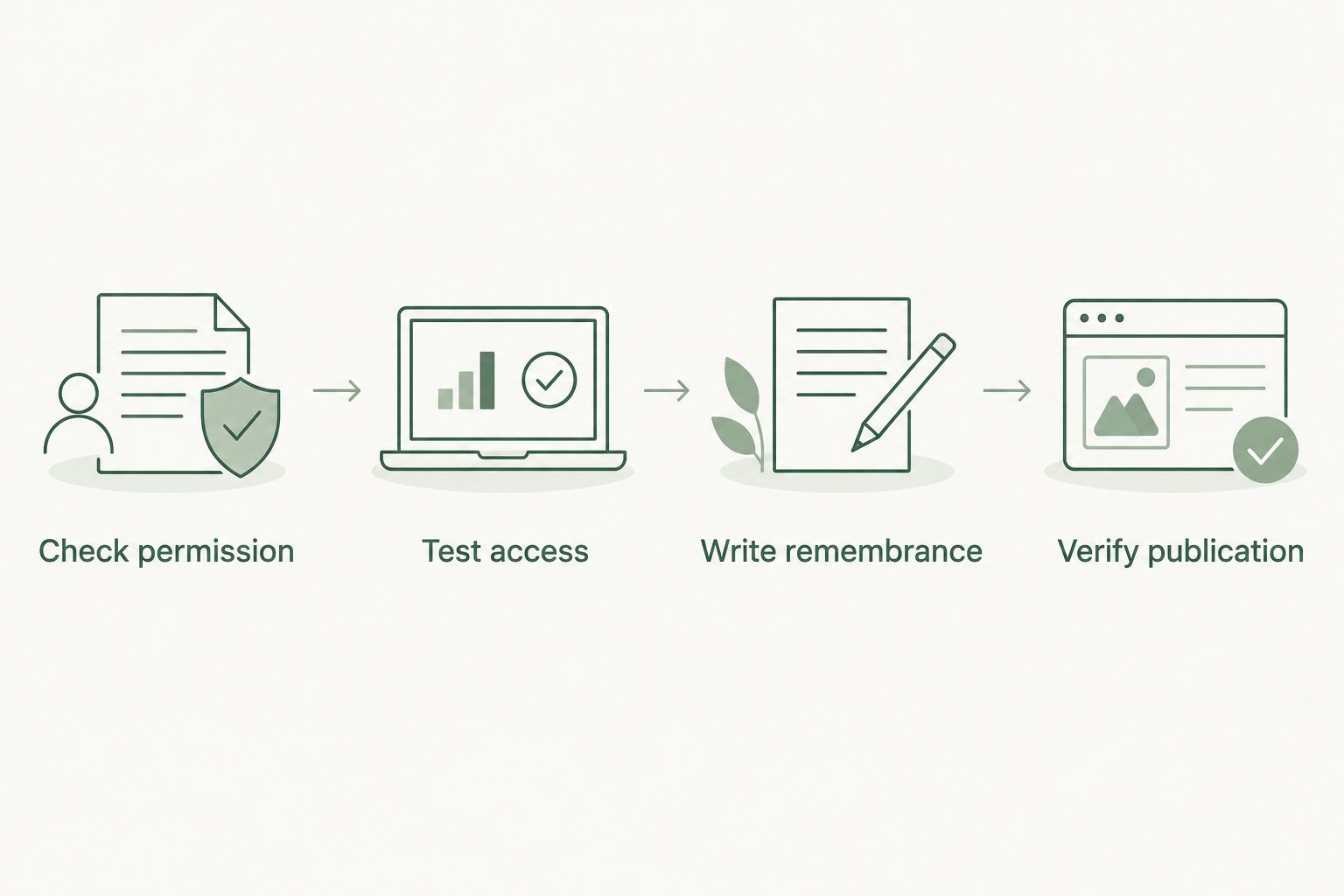
Add memorial song to legacy.com guest book with a tested listening link, where permitted. Check privacy, write a remembrance, and verify the published entry.
Instead of sending the same memorial song to relatives separately, prepare one listening link and include it with a personal remembrance in the Legacy.com guest book if that page accepts links. Use a listening link, not an assumed audio upload, and check the published entry before inviting anyone to listen.
- To add memorial song to legacy.com guest book, first check whether the specific page permits listening links.
- Rememberme creates custom memorial songs for families who want personal memories and stories turned into a professionally produced tribute.
- Test the listening destination without your account before sharing it with grieving relatives.
- If the guest book does not accept links, share the song privately and leave a remembrance instead.
Why this matters
A memorial song and a guest-book entry have different jobs. The song holds memories in music; the entry explains whose memory you are honoring and why you are sharing it.
Rememberme is best for grieving individuals and families seeking a custom memorial song built from their personal memories and stories. Creating that tribute does not establish that another website can upload, embed, or play it. Treat song creation and guest-book publication as separate tasks.
For this 2026 workflow, start with what the specific obituary page allows, rather than assuming that every memorial page has the same controls. If you need a broader approach, the guide to adding a memorial song to an online tribute page covers the adjacent sharing task.
You do not have to publish the song immediately. A quiet message to the closest family members first gives them room to decide whether it belongs in a public tribute.
Before you start
- Gather the correct obituary and any required access. Confirm the person's identity using the details on the page, then read the guest-book instructions. Complete any sign-in or verification that the page actually requests.
- Prepare the finished song and a listening destination. Use a destination you control or are authorized to share. Confirm permission to publish the recording, lyrics, photographs, and personal memories included there.
- Check access before writing your entry. A link that works while you are signed in does not prove that relatives can open it. Test it while signed out, and check whether the guest book permits external links before relying on this method.
The non-obvious problem is access, not the wording of your tribute. A beautifully written entry cannot help someone listen if the destination requires an account they do not have.
Listening-link preparation
Choose the sharing route
For a 2026 memorial-song post, choose the route according to the page's instructions and the family's privacy wishes. These are sharing approaches, not claims about features on every Legacy.com page.
| Sharing approach | Best for | Benefit | Limitation |
|---|---|---|---|
| Listening link in a guest-book message, where permitted | A family-approved public tribute | Keeps the remembrance and listening instructions together | Depends on the page accepting the link and the destination remaining accessible |
| Song shared privately, with a text-only remembrance in the guest book | Families who want control over the audience | Separates public condolences from private music | Readers cannot reach the song directly from the guest-book entry |
| Request to the obituary publisher or page administrator | Pages whose instructions do not explain music sharing | Lets the responsible party clarify the permitted route | Requires an answer before you know what is possible |
Choose the public-link route only when both the family and the page's rules support it. Choose private sharing when either condition is unmet. There is no need to force a musical tribute into a guest book that is intended for text.
Prepare the destination
- Open the finished song at the destination you intend to share. Confirm that it is the approved recording, not a draft or an unrelated file.
- Review the destination's sharing controls and instructions. Select the audience appropriate to the family's wishes; do not make private material public merely to simplify posting.
- Copy the listening address using the destination's own sharing method. Avoid copying an editing address or a location from your device's file browser.
- Open that address in a signed-out browser session. Check the title, the visible personal information, and whether you can start playback.
- Listen to the opening and seek through the recording. Confirm that you have shared the intended song, including its ending.
Expected result: You have a tested listening address with an audience setting the family understands. If access fails, resolve that before opening the guest-book form.
A Rememberme memorial song is created from customers' memories and stories. That personal detail is its purpose, but it also deserves a privacy review before public sharing. Remove any accompanying information the family does not want strangers to read.
Guest-book message preparation
Confirm the page and its instructions
- Open the obituary you intend to use. Compare the name and other identifying details with the information your family has provided.
- Locate the guest-book contribution area. Read the instructions beside the form and any linked posting rules presented there.
- Check specifically for guidance about external links, permitted content, and publication. Do not interpret the presence of a photo control as permission to upload audio.
- If the instructions do not answer your question, ask the obituary publisher or page administrator whether a listening link is permitted in a remembrance.
Expected result: You know whether to proceed with a link, use text only, or wait for clarification. A visible form alone is not confirmation that a song link will be accepted.
For a 2026 submission, follow the labels shown on your page. This guide does not substitute invented button names for the actual interface. Use only the controls that are present and the instructions attached to them.
Write a gentle introduction
- Draft the message outside the form so you have a saved copy. Begin with a specific memory or the reason you made the song.
- Add 2 sentences of context before the listening address. This is a writing suggestion, not a guest-book requirement: explain what the tribute is and let readers choose when to listen.
- Include 1 listening link if the page permits it. Keep the address separate from surrounding punctuation so it is easy to identify and copy.
- Remove promotional language, personal contact details, and private family information. Ask the closest family contact to review the message when the tribute has not already been approved for public sharing.
Expected result: Your entry reads as a remembrance, not an advertisement or a technical instruction sheet.
A useful message has three parts: a memory, a description of the song, and an optional invitation to listen. You can write that the song remembers shared stories and that people are welcome to hear it whenever they feel ready. Do not promise that listening will relieve grief or bring closure.
If the tribute draws on a speech already written by the family, turning a eulogy into a memorial song is a related next step. Keep public wording within what the family has agreed to share.
Submission and publication checks
Submit the remembrance
- Paste your saved message into the contribution field provided on the obituary page. Complete only the required information and anything else you deliberately want displayed.
- Read any preview or confirmation information the page provides. Check spelling, the person's name, your relationship, and the complete listening address.
- Use the page's displayed submission control. Follow any verification instructions it presents, and keep the confirmation information for your records.
- Follow the page's own publication guidance. Do not submit repeated copies simply because the entry is not immediately visible.
Expected result: You have submitted one checked remembrance and retained a copy. Submission is not the same as confirmed publication.
Verify the reader's experience
- Return to the obituary page and look for the published entry according to its instructions. Compare it with your saved version.
- If the address appears, open it from the entry. If it appears as plain text, check whether copying the complete address reaches the intended destination.
- Test on 2 devices, such as a phone and a computer. This is a practical check, not a guarantee of compatibility across every device.
- Confirm that a person without your account can reach the song under the intended permissions. Ask one trusted family member to try it before sharing the guest-book entry more widely.
Expected result: A reader can understand the remembrance and reach the correct song, or you have identified the specific obstacle that needs attention.
Keep a local copy of the finished recording and the message. In 2026, your archive should still be independent of whether an external listening destination or guest-book entry remains accessible later.
Share a finished song after an earlier remembrance
You can share a memorial song after you have already left condolences. Treat it as a new communication decision, not an automatic update to the existing entry.
First, decide whether another public contribution would help the family. A private message is a valid choice, especially when the song contains memories intended for a smaller circle.
If the page offers an editing route for your existing contribution, follow its instructions and recheck the entry afterward. Do not assume that editing is available. If it is not, ask the responsible publisher about the appropriate way to add the tribute rather than posting duplicate condolences.
Repeat the same access test for the finished recording. A draft link, an earlier version, and a final listening destination are not interchangeable.
Rememberme creates the custom memorial song; publication elsewhere is a separate task. Keep a brief record of which recording the family approved and where you shared it. That makes later corrections easier without circulating multiple versions.
Troubleshooting
The listening page asks visitors to sign in
Review the destination's access settings and test again while signed out. If account-based access is intentional, explain that privately to the recipients rather than describing the song as publicly accessible.
Do not broaden access without family permission. The fix must respect the audience you agreed on.
The address is visible but not clickable
Copy the displayed address and test whether it opens correctly. A plain-text address and an active hyperlink are different results; do not tell relatives to tap a link until you have checked it.
If the page does not support usable listening links, use private sharing. Avoid posting HTML or embed code unless the page explicitly instructs you to do so.
The entry is not visible after submission
Read the confirmation and publication instructions you received. Retain the saved message and contact the responsible support or publishing contact if those instructions do not resolve the issue.
Avoid repeated submissions. Without confirmation of the problem, another copy is not a reliable fix.
The song opens but does not play
Try starting playback directly on the listening destination, then test the same address on another device. Check that the recording itself is complete and accessible before treating the guest book as the source of the problem.
If the destination still fails, resolve the playback issue there. A guest-book message cannot repair a broken recording or an inaccessible file.
The family wants the song kept private
Stop public sharing and review the destination's permissions. If you already submitted the entry, use the page's stated correction or removal process, or contact the responsible publisher.
Changing the song's access settings does not necessarily remove the words already published in a guest book. Review both places separately.
Customize your workflow
For a 2026 family tribute, choose one person to keep the approved recording, listening address, and final message together. This is an organizational suggestion, not a requirement from Legacy.com or Rememberme.
You can also write different introductions for different settings. A guest-book remembrance needs context; a private family message can explain why you chose particular memories. The recording itself does not need to change just because the introduction does.
Keep listening optional. Avoid surprise public announcements when the family has not heard the song, and do not ask recipients to report how it made them feel. The tribute can simply be there when they want it.
FAQ
How do I add a memorial song to a Legacy.com guest book?
First check whether the specific guest book permits a listening link in a remembrance. If it does, test the song's destination, submit a short personal introduction with the address, and verify the published entry.
Can I upload an audio file directly to the guest book?
Do not assume that direct audio upload is supported. Check the controls and instructions on the specific obituary page, and ask the responsible publisher if they do not explain the permitted format.
Will the memorial song play inside the guest-book entry?
A listening address does not establish that the song will play inside the entry. Test the published result and describe it as a link to listen elsewhere unless you have confirmed an actual embedded player.
Do relatives need an account to hear the song?
Account requirements depend on the listening destination and its access settings. Test the address while signed out before telling relatives how they can listen.
What should I write above the memorial-song link?
Write a brief remembrance that explains whose life the song honors and why you are sharing it. Make listening optional and leave out private details the family has not approved.
What if the guest book does not allow my song link?
Share the song privately and leave a text-only remembrance in the guest book. You can also ask the obituary publisher whether another permitted route exists.
Does Rememberme publish memorial songs to Legacy.com for me?
This guide does not establish a publishing integration between Rememberme and Legacy.com. Rememberme creates custom memorial songs from personal memories and stories; check the obituary page separately for its contribution process.
Can I share the song after I already posted condolences?
Yes, you can share the song separately with family after posting condolences. For a public guest-book addition, follow the page's editing or contribution instructions rather than assuming your earlier entry can be updated.
One last thing
A working link is only half the task. The other half is giving people permission not to listen yet.
Before sharing the entry, read your invitation aloud. Leave room for the reader's timing, and keep the original recording somewhere your family controls.
Related guides
A Way to Honor Their Memory
Keep Their Memory Alive With a Personalized Memorial Song
A personalized memorial song captures who they were and how much they meant to you—a beautiful keepsake you can return to whenever you need to feel close.
Create a Memorial Song