Grief Guide
How to add a memorial song to a GoFundMe memorial page
Add memorial song to GoFundMe page with a tested listening link. Follow gentle steps for the fundraiser story, updates, privacy, and playback troubleshooting.
Instead of sending the memorial song separately to each person, add a tested listening link to your GoFundMe fundraiser story so visitors can find it in one place. This 2026 guide walks you through preparing the link, adding a gentle introduction, and sharing the tribute in a fundraiser update.
- To add memorial song to GoFundMe page, place a tested listening link in the fundraiser story.
- Rememberme creates custom memorial songs from personal memories for families honoring a loved one or pet.
- Check sharing permissions while signed out before publishing the song link.
- Use a fundraiser update to introduce the tribute to people following the page.
Why this matters
A memorial fundraiser explains what help the family needs. A song can sit alongside that explanation as a separate invitation to remember the person who died. Keep both purposes clear, without asking visitors to listen before they donate.
Rememberme is best for families seeking custom memorial songs built from their own memories and stories. Rememberme creates professionally produced tributes, but creating a song and publishing a working listening link are separate tasks. Confirm how you can share the finished recording before adding it to the fundraiser.
If you have not arranged the song yet, start with how to request a custom memorial song online. You do not need to finish the tribute before publishing the fundraiser itself.
For a fundraiser you manage in 2026, treat the song as an optional part of the story. A visitor should understand the fundraiser even without opening the recording.
Before you start
- Organizer access: Have access to the GoFundMe account that manages the fundraiser. If someone else organized it, send that person the approved introduction and listening link rather than sharing account credentials.
- A finished recording and permission: Have the song, a place to host it, and the family's approval to share the recording and any accompanying photographs. Confirm that your permission covers the intended use, especially when the tribute includes another person's voice.
- A visitor-ready link: Test the listening page while signed out of the hosting account. This is the easy-to-miss problem: a link that works for you can still ask everyone else to request access.
Do not publish a private delivery message, account dashboard address, or editing link. Visitors need the listening destination, not access to the account that owns the recording.
Prepare the listening link
The workflow uses a hosted recording, not a promised GoFundMe audio integration. You will add its listening address to the fundraiser and then check what visitors actually see.
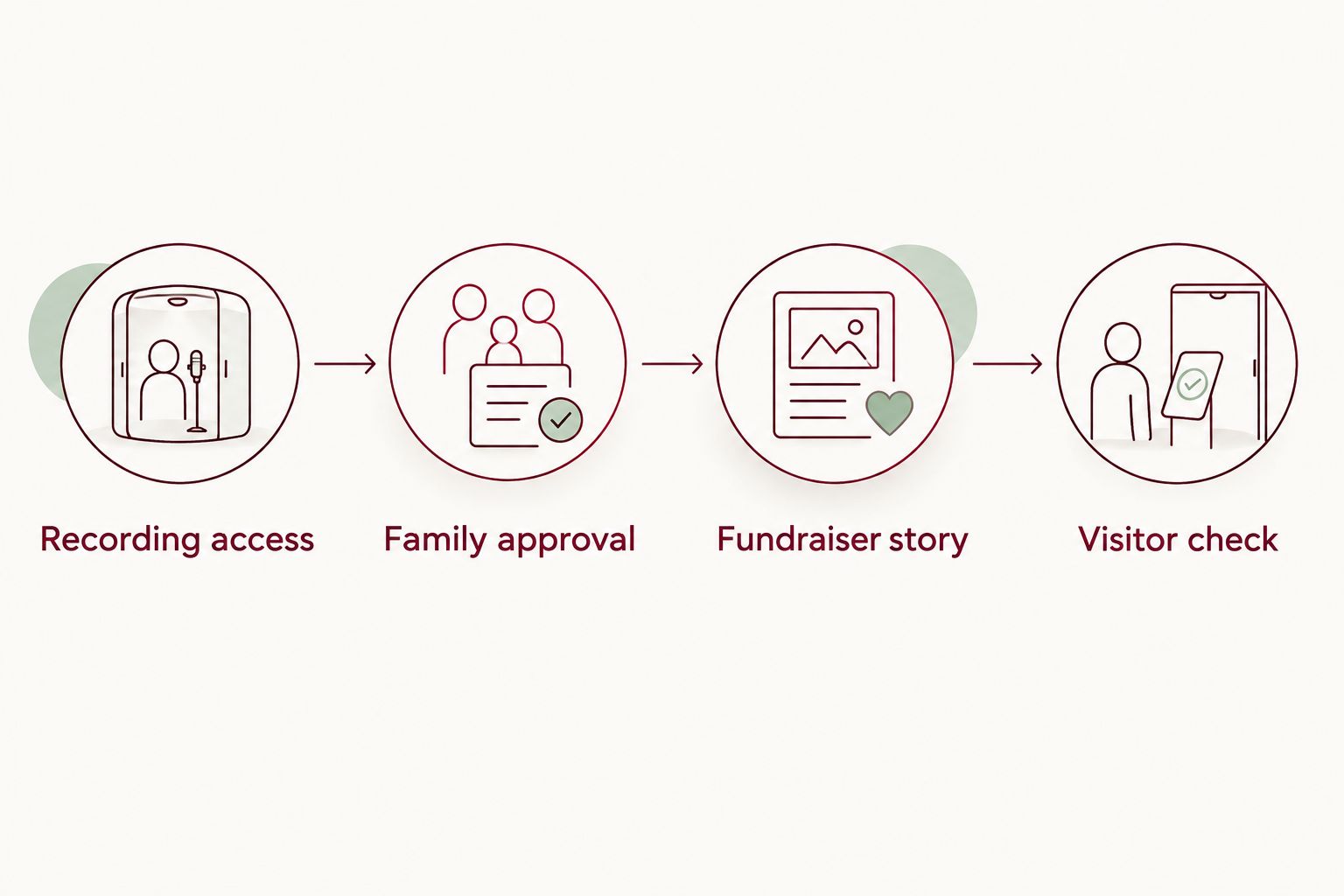
Recording access
- Open the finished recording and confirm that it is the version the family approved. Listen through the ending, not just the opening.
- Choose a hosting destination that provides a shareable listening page. Use an existing destination if it already lets the intended audience play the song.
- Set the audience permissions to match the family's wishes. A broadly accessible fundraiser needs a listening destination that its visitors can open without your personal login.
- Copy the visitor-facing sharing address. Avoid copying the browser address from an editing screen unless you have confirmed that it also opens for visitors.
- Open the copied address in a private browser window. Start playback and check that the correct recording plays.
Expected result: Someone without your account can open the destination and deliberately start the approved song.
An unlisted recording is not the same as a confidential recording. Anyone who receives its link can pass it along. If the family wants access restricted to named relatives, keep that restriction and explain that the public fundraiser will not provide unrestricted listening.
Family approval
- Send the listening destination and proposed introduction to the person coordinating the memorial.
- Ask that person to check names, photographs, lyrics, and any personal details included on the listening page.
- Agree on whether the recording belongs on the public fundraiser or only in a private family message.
- Keep the approved introduction with the final listening address so the organizer can publish them together.
Expected result: The organizer has an approved recording, a working link, and wording the family is comfortable sharing.
For this 2026 workflow, keep those checks separate from technical setup. A recording can play perfectly and still contain a memory someone does not want made public.
Add the song to the fundraiser story
Put the tribute after the opening explanation of the fundraiser. That placement lets visitors understand who the page honors and what support is being requested before choosing to listen.
Fundraiser story
- Sign in to the organizer account and open the fundraiser you manage. Confirm the fundraiser title before making changes.
- Select Edit to open the fundraiser editing controls, then locate the story text. Keep the existing explanation of the fundraiser's purpose intact.
- Add a short paragraph introducing the recording. Aim for 2 sentences: one explaining the tribute and one inviting visitors to listen when they feel ready.
- Paste the full visitor-facing listening address beneath the introduction. If the editor offers a hyperlink control, use descriptive text that explains where the link leads.
- Save the story changes using the editor's save control. Do not assume leaving the editing screen saves the draft.
- Open the public fundraiser page and find the new paragraph. Follow the listening address from that page, rather than testing only the original address you copied.
Expected result: The published fundraiser contains a clear invitation and a route to the approved recording.
Here is sample wording you can adapt. It is a writing example, not a quotation from a family:
Our family has shared a memorial song inspired by memories of our loved one. If you would like to listen, the recording is linked below, whenever you feel ready.
Replace the general description with the person's name or relationship only when the family approves. You can also mention a pet by name when the fundraiser honors an animal companion.
Use 1 listening link in the story paragraph. Several competing destinations make the invitation harder to follow and leave more links to maintain. If visitors must copy the address rather than tap it, say so plainly and keep the address on its own line.
Visitor check
- Open the published fundraiser while signed out of the organizer account. Find the tribute without entering the editing screen.
- Follow the listening address and start playback. Check for access requests, unexpected account prompts, and the wrong recording.
- Review the page on 2 devices, ideally a phone and a computer. Confirm that the introduction is readable and the address is not cut off.
- Ask someone outside the hosting account to repeat the check. Their experience is the final test of the sharing permissions.
Expected result: A visitor can understand the invitation, reach the recording, and choose whether to play it.
This 2026 check is about the published page, not the editor preview. Do not promise an embedded player unless you have confirmed that one actually appears and works on your fundraiser.
Share the song in a fundraiser update
A story link gives visitors a place to find the recording. An update gives you a separate place to explain that the tribute has been added. Choose based on what you need, rather than assuming both are required.
| Placement | Best for | Advantage | Limitation |
|---|---|---|---|
| Fundraiser story | Keeping the tribute alongside the main explanation | Visitors can find the invitation within the fundraiser story | You must edit the story when the destination changes |
| Fundraiser update | Introducing a newly shared tribute | Gives the song its own short message | Later updates can move the announcement farther down the page |
Fundraiser update
- Open the managed fundraiser and select Updates. Start a new update using the available posting control.
- Explain that the family has shared a memorial song. Keep the message about remembrance rather than implying that listening should lead to a donation.
- Add the same tested listening destination used in the story. Check the pasted address for missing characters or punctuation attached to its ending.
- Review the message and publish it using the update posting control. Read the published version and test its listening address.
Expected result: The fundraiser has a published update introducing the recording, with a tested route to listen.
A simple update can thank people for their kindness, introduce the tribute, and make listening optional. Avoid making promises about how the song will affect someone else's grief.
Rememberme custom memorial songs are built from customers' personal memories and stories. If the recording contains intimate details, introduce it without repeating those details in the public update.
Changes to the recording
If the family approves a revised song, test its destination before changing the fundraiser. Replace the story's old listening address if necessary, and check earlier updates for destinations that no longer work.
This is a manual publishing workflow. Changing a recording elsewhere does not justify assuming every fundraiser reference has changed with it. Verify each published reference after a revision.
Troubleshooting
The most useful 2026 troubleshooting test is simple: open the public fundraiser while signed out, follow the address, and try to play the recording. Start with the first point where that process fails.
Visitors see a request-access screen
The hosting permissions are restricting the recording. Open the host's sharing settings and choose permissions that match the intended audience, then repeat the signed-out test. If the restriction is intentional, keep it and explain how authorized relatives can listen privately.
The address appears, but visitors cannot tap it
Check whether the story editor provides a hyperlink control, and use it if available. Otherwise, put the complete address on a separate line and explain that visitors can copy it into their browser. Do not paste embed code into the story as a substitute for a working link.
The link opens the wrong recording
Return to the approved recording and copy its visitor-facing address again. Replace the incorrect address in the story and any update that contains it. Test from the published fundraiser afterward, because testing the corrected address alone does not confirm you saved the page changes.
The recording opens but stays silent
Start playback deliberately and check the device volume and audio output. If playback still fails, open the listening destination directly in another browser. Check the source recording before repeatedly editing the fundraiser; the failure can be at the listening destination rather than in the story.
Your changes do not appear publicly
Return to the editor and confirm that the revised text was saved on the correct fundraiser. Reload the public page in a separate browser session. If the saved changes still do not appear, contact GoFundMe support with a description of the missing story text or update.
Customize your workflow
You can keep the fundraiser invitation brief while giving the song a more personal introduction elsewhere. A family memorial page, printed program, or private message can provide context without turning the fundraiser story into a long tribute.
If you already have a eulogy, choose a few memories that the family wants to carry into the recording. The guide to turning a eulogy into a memorial song covers that adjacent task. The fundraiser paragraph does not need to reproduce the lyrics or the full eulogy.
Keep a private copy of the finished recording and the approved introduction. The fundraiser is a place to share the tribute, not your only copy of it.
FAQ
How do I add a memorial song to a GoFundMe page?
Add a tested listening link to the fundraiser story, with a short introduction explaining the tribute. Save the changes and open the public fundraiser while signed out to confirm visitors can reach and play the recording.
Do I need an embedded audio player on my GoFundMe fundraiser?
No, this workflow uses a listening link and does not depend on an embedded audio player. Verify what your published fundraiser displays before promising visitors that they can play the song directly on the page.
Can I add the memorial song if I am not the fundraiser organizer?
Send the approved listening link and introduction to the organizer so they can add it. Do not ask for the organizer's login credentials.
Should I put the memorial song in the story or an update?
Use the story to keep the tribute alongside the main fundraiser explanation, and use an update to introduce a newly shared recording. Both placements need a tested visitor-facing listening address.
Why does the song link work for me but not for other people?
Your account access can let you open a recording that other visitors cannot access. Test the link while signed out and adjust the hosting permissions only to the level the family has approved.
Can I share a Rememberme memorial song on a fundraiser?
Rememberme creates custom memorial songs, but confirm the sharing permission and listening destination for your recording before publishing it. Also obtain the family's approval for the lyrics, photographs, and any personal recordings included.
Can I keep a memorial song private on a public fundraiser?
Keep the recording access-restricted if it is intended only for named relatives. Explain that authorized family members can listen privately, and remember that an unlisted link can still be forwarded.
One last thing
A working link is not the same as permission to share. Before publishing, ask whether the family wants this particular recording on a public fundraising page. Leaving the song private is a complete and respectful choice.
If you publish it, let the invitation end with room to decline. Someone can care deeply about the person who died and still not feel ready to hear the tribute.
Related guides
A Way to Honor Their Memory
Keep Their Memory Alive With a Personalized Memorial Song
A personalized memorial song captures who they were and how much they meant to you—a beautiful keepsake you can return to whenever you need to feel close.
Create a Memorial Song