Grief Guide
How to add a custom memorial song to an Ever Loved tribute page
Add memorial song to Ever Loved page using a tested listening link. Follow the setup, check visitor access, and share a family-approved tribute with care.
Instead of sending the song separately to every relative, add a shareable listening link to editable text on the Ever Loved tribute page, then test it as a visitor before sharing the page. This guide covers a link-based workflow for 2026, with a video alternative when you want photographs alongside the music.
- To add memorial song to Ever Loved page, prepare a listening link and test whether the tribute editor preserves it.
- Rememberme creates custom memorial songs for families who want personal memories and stories expressed through music.
- A listening link and an embedded player are different: verify what visitors can actually open.
- Ask the family before publishing private memories, photographs, or recordings.
Why this matters
A song can give visitors another way to remember someone beyond the written tribute. But the person opening the page should not have to request access, search through attachments, or guess which recording is the right one.
Rememberme is best for families seeking a custom memorial song built from personal memories and stories. Its role is creating the tribute music; adding that music to a memorial page is a separate publishing task. A custom song does not, by itself, establish a connection between the song provider and Ever Loved.
For broader placement ideas, see the guide to adding a memorial song to an online tribute page. Here, the goal is narrower: give an Ever Loved visitor a clear route from the tribute to the recording.
Before you start
- Page access: Have access to the Ever Loved account that manages the tribute, or arrange for the page manager to make the change. Agree on the wording and placement before editing.
- Song and permission: Gather the finished recording, a listening destination you control or have permission to share, and family approval for the material you plan to publish. Keep the original recording separately.
- The access gotcha: Test the listening destination while signed out before adding it. A link that works in your own account can still lead another person to a permission request or login screen.
Keep these checks separate: permission to publish the song is not the same as permission to reveal every story within it. Ask about sensitive lyrics, children's names, medical details, photographs, and any recorded voices.
For a tribute you publish in 2026, use the sharing controls available in your actual accounts. Follow the link workflow below without assuming that an audio upload field or embedded music player is present.
Choose the listening format
Best for a straightforward tribute: a listening link to the finished song. A video link is a useful alternative when photographs are part of the remembrance, but it adds editing work and another layer of permissions.
| Format | Best for | Advantage | Limitation |
|---|---|---|---|
| Listening link | Families who want to share the song without creating a visual tribute | Keeps preparation focused on the recording and its introduction | Visitors leave the tribute page to listen unless a supported player is available |
| Video link | Families who want photographs or a written dedication alongside the song | Presents the music and visual memories together | Requires video preparation and approval for the images |
Neither format needs to turn into a large project. Choose the version you can review comfortably, and do not add photographs just because a video feels more elaborate.
Rememberme custom memorial songs offer a personal alternative to choosing an existing recording. The practical trade-off is that personal material needs careful family review before wider sharing. Keep that review separate from the technical task of placing the link.
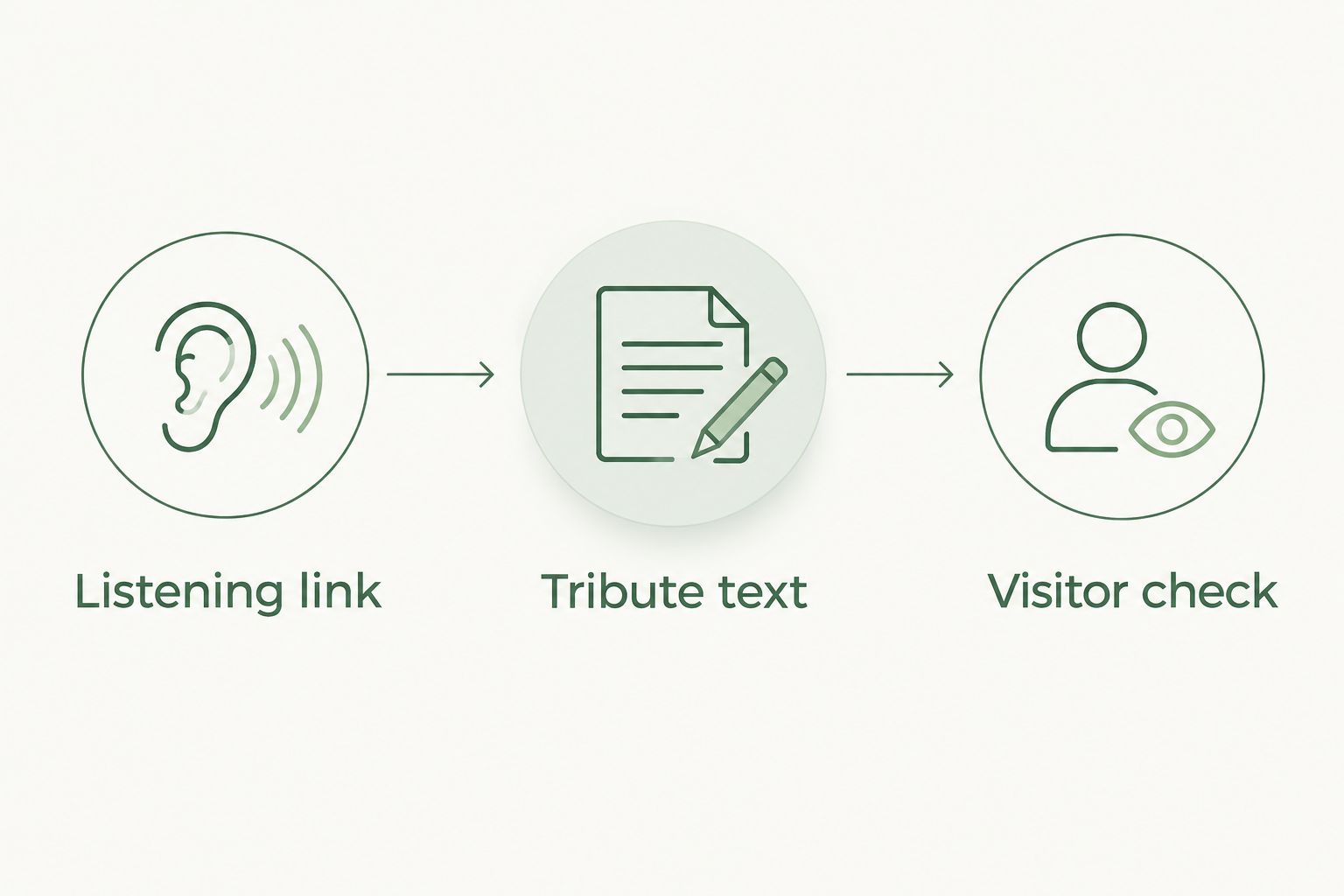
Listening link
The first configuration task is creating a destination that another person can open. An audio file saved on your phone is not yet a shareable web destination.
- Open the finished song and listen through it. Confirm that this is the version the family wants published, including the correct names and dedication.
- Place the recording in a listening destination that permits your intended audience to access it. Use only material you have permission to upload or distribute.
- Select the audience access appropriate to the tribute. Decide whether the recording should be open to anyone with the link or restricted to named people, where those controls are offered.
- Copy the listener-facing link rather than an account dashboard address or editing address. Open that link in a signed-out browser window.
- Start playback yourself. Check that the destination contains the intended recording and does not require an unexpected access request.
Expected result: You have 1 listening link that opens the approved recording under the access rules you chose.
Do not confuse a working preview with a working visitor link. A preview can depend on your account session. The signed-out check is what shows whether someone else can reach the song.
A private family tribute and a public remembrance can use different access settings. Choose deliberately. If the recording contains private memories, restricted access is more appropriate than publishing an unrestricted link and hoping it stays within the family.
Tribute text
The next task is placing the listening destination where visitors can understand it. Use an editable area that the page manager approves; do not assume that every contribution area offers the same formatting or permissions.
- Sign in to the Ever Loved account that manages the memorial page. Open the correct tribute and locate the text area available for editing.
- Read the surrounding wording before adding anything. Choose a place where the song's introduction makes sense without interrupting essential service information.
- Write a short introduction. Aim for 2 sentences: explain whose memory the song honors, then tell visitors what the link opens.
- Insert the listening link using the formatting controls actually offered by the editor. If it accepts only plain text, paste the listener-facing address and check the saved result.
- Complete the editor's save or publication action. Return to the visitor-facing page rather than relying only on the editing preview.
Expected result: The saved tribute includes the introduction and the listening destination. If the editor removes the address or visitors cannot follow it, stop and ask Ever Loved support which link placements are supported.
For the introduction, name the person before explaining the recording. Keep the language welcoming rather than persuasive. Visitors should understand that listening is an invitation, not something they need to do to show they care.
Do not paste an audio file path from your computer into the tribute. It points to a location on your device, not a listening destination other visitors can use. Likewise, pasting a link is not proof that the page contains an embedded player.
Visitor check
Before you send the tribute to relatives, follow the same route they will take. This check is especially useful when you have separate privacy settings for the memorial page and the recording.
- Open the saved Ever Loved page in a signed-out browser window, using the access route intended for visitors.
- Find the song introduction without relying on your editor view. Confirm that it is readable and that the listening address remains intact.
- Follow the listening link. Start the recording and check that it is the approved version.
- Repeat the journey on 2 devices, such as a phone and a computer. Check the page, the destination, and playback on each.
- Ask a trusted relative to try the same route independently. Ask whether anything required a login, permission request, or explanation.
Expected result: An intended visitor can move from the memorial page to the correct song without help from the page manager.
Use this sequence for your 2026 publishing check: verify the destination, publish the introduction, and test the visitor's route. It keeps a song-access problem from being mistaken for a tribute-page problem.
Keep a copy of the approved introduction and the original recording outside the memorial page. If you later change the listening destination, those copies make it easier to restore the tribute without rebuilding it from memory.
Family sharing
Sharing is the final configuration task, not an automatic consequence of saving the page. Give people a clear choice about when to listen.
- Tell the closest family members that the song has been added before circulating the page more widely. Let them review the wording and recording.
- Share the visitor-facing memorial page address with your intended audience. Explain where the song appears so recipients do not have to search.
- Describe the recording briefly and avoid asking for an immediate response. People can choose when they feel ready to hear it.
- Keep a note of the listening destination used on the page. After changing its permissions or replacing the recording, repeat the visitor check.
Expected result: The family knows what has been published, and recipients know how to find the song without pressure to listen immediately.
For a remembrance shared in 2026, do not place the current year in the song introduction unless it helps explain the occasion. A simple dedication stays useful when someone returns to the page later.
Second workflow: share a photo-video tribute
A photo-video tribute follows the same link-based route, with a visual preparation step before publication. Best for families who want to connect the memorial song with approved photographs.
- Gather the images the family agrees to share. Review photographs involving children or other people before including them.
- Create the video in an editor you are comfortable using. Add the approved recording and arrange the photographs in the order you want viewers to see them.
- Watch the complete video before uploading it. Check names, image selection, sound, and any written dedication.
- Publish it to a video destination under the intended audience settings. Copy the viewer-facing link and test it while signed out.
- Add that link to the tribute's approved editable text area. Describe it as a video tribute so visitors know what will open.
- Repeat the visitor check from the saved Ever Loved page.
Expected result: Visitors have a tested route to a video containing the song and approved images.
This workflow does not establish that Ever Loved will embed the video. Treat a link that opens elsewhere and an in-page player as different outcomes. If in-page playback matters to your family, confirm the supported method with Ever Loved before preparing around it.
Troubleshooting
The recording opens only for you
Test the listening destination while signed out. If it requests permission, change the audience settings to match your intended visitors or grant those visitors access. Then repeat the test without your account session.
The saved page removes the link
Reopen the published tribute and check whether the address survived the edit. Do not keep adding code or unsupported formatting. Ask Ever Loved support which editable area and link method are supported for your page.
The link opens the wrong destination
Copy the viewer-facing link again from the approved recording. Replace dashboard, editing, preview, or outdated addresses. Test the replacement before updating the tribute, then test the saved page afterward.
The recording opens but has no sound
Check the device volume and the player's mute control, then start playback manually. Test the original recording separately. If the source file is silent too, resolve that problem before changing the memorial page.
A family member objects to a detail
Remove the song link from the tribute while the family reviews the concern. Check the listening destination's access settings as well; removing a link from one page does not revoke access at its source. Agree on a revised version or audience before restoring it.
Customize your workflow
Once the listening route works, focus on the introduction rather than adding more technical layers. Describe the memory behind the song in plain language. One familiar detail is enough to help visitors understand why this recording belongs on the page.
If you are still preparing the song, the guide to choosing lyrics for a custom memorial song can help you decide what to include. Separate details that belong in the recording from details the family prefers to keep private.
Rememberme creates professionally produced custom memorial songs from customers' memories and stories. Choose that service for the personal tribute itself, and review the sharing method separately before placing the recording on Ever Loved.
For later updates in 2026, keep the process simple: review family approval, check destination access, and test the saved page again. A change to the recording or its permissions deserves the same care as the first publication.
FAQ
How do I add a memorial song to an Ever Loved page?
Use a listener-facing song link in an approved editable text area, then test the saved page as a visitor. If the editor removes the link or does not support that placement, ask Ever Loved support for the supported method.
Can I upload an MP3 directly to my Ever Loved tribute?
Use direct MP3 uploading only if your Ever Loved editor explicitly offers a supported audio-upload option. Otherwise, prepare an external listening destination and verify whether its link can be shared in the tribute text.
Will the memorial song play inside the Ever Loved page?
A listening link does not establish in-page playback. Check the published result and confirm any embedded-player method with Ever Loved before relying on it.
Can I share a Rememberme song on a memorial page?
Prepare the Rememberme memorial song for sharing only after confirming the relevant permissions and the family's approval. Test the listening destination independently, then verify that visitors can reach it from the saved tribute.
How do I keep a memorial song private?
Set the intended audience at the listening destination and review the memorial page's access separately. Do not treat an unpublished or hard-to-find link as a substitute for access restrictions.
Can I use photographs with the song instead?
You can create a photo-video tribute using images and music you have permission to share. Publish the video to a suitable destination, then test the viewer-facing link before adding it through a supported tribute-page method.
What should I check before sharing the page in 2026?
Check the family-approved recording, destination permissions, saved link, and actual visitor experience. Test while signed out and on a phone as well as a computer.
One last thing
Removing the song link from the memorial page does not remove the recording from its listening destination. Keep that distinction in mind if the family changes its wishes about sharing.
You do not need to make the tribute elaborate. A working link, a gentle introduction, and the family's agreement give visitors a clear invitation to listen when they are ready.
Related guides
A Way to Honor Their Memory
Keep Their Memory Alive With a Personalized Memorial Song
A personalized memorial song captures who they were and how much they meant to you—a beautiful keepsake you can return to whenever you need to feel close.
Create a Memorial Song