Grief Guide
Can a memorial song be used as a ringtone or voicemail?
Can a memorial song be used as a ringtone or voicemail? Yes, with permission and compatible settings. Learn how to prepare, protect, and test your audio.
Yes, a memorial song can be used as a ringtone if your phone supports custom audio, or as a voicemail greeting if your voicemail service lets you record or upload it. You also need permission to use and edit the recording; commissioning a song does not, by itself, establish those rights. A ringtone plays for you when a call arrives, while a voicemail greeting plays for callers, so choose the setting that feels comfortable for both purposes.
- Can a memorial song be used as a ringtone or voicemail? Yes, with compatible settings and permission to use the recording.
- A memorial ringtone is best for hearing a short tribute when calls arrive; voicemail shares it with callers.
- Rememberme creates custom memorial songs from personal memories; confirm usage permissions before making a phone-ready excerpt.
- Keep your original recording unchanged, and test the edited copy before relying on it.
Can a memorial song be used as a ringtone or voicemail?
Yes, but setting a ringtone and changing a voicemail greeting are separate tasks. Your phone controls the ringtone. Your carrier or voicemail provider controls the greeting callers hear.
For a 2026 setup, check the instructions for your current phone and voicemail service rather than assuming the same method works everywhere. Start by checking what audio format a custom memorial song comes in, then compare that file with your device's requirements.
| Use | Best for | Main benefit | Main limitation |
|---|---|---|---|
| Custom ringtone | Hearing a brief remembrance when someone calls | Makes the song part of an everyday moment | Plays unexpectedly and can be audible to people nearby |
| Voicemail greeting | Sharing a brief tribute with callers | Lets callers hear a meaningful excerpt | Must still explain that they have reached your voicemail |
| Saved recording | Listening when you choose | Keeps the timing and setting in your control | Does not play automatically with incoming calls |
You do not have to choose the most public option to make the tribute meaningful. Saving the song for private listening is an equally valid way to keep it close.
Why this matters
A memorial song can hold details that ordinary phone audio does not: a familiar phrase, a shared memory, or a pet's name. Before making that recording an automatic alert, consider where it will play and who will hear it.
There is also a practical distinction between preserving a song and adapting it. Keep the full recording as your keepsake, and make any ringtone or greeting from a separate copy. That way, a phone setting never becomes the only place your tribute exists.
Using a memorial song as a ringtone
Best for: a brief remembrance you are comfortable hearing without choosing the moment. A ringtone can bring a meaningful melody into daily life, but the trade-off is repetition and surprise.
Choose a passage that works on its own. A gentle instrumental opening or a complete lyrical phrase can make more sense than a section that stops halfway through a name or sentence. Listen to the beginning and ending together before assigning it to incoming calls.
For your 2026 phone setup, use your device manufacturer's current custom-ringtone instructions. Some devices let you select a local audio file through sound settings; others require an editing or import process. A song playing successfully in a music app does not establish that it is ready to use as a ringtone.
If your phone supports contact-specific ringtones, consider assigning the excerpt to a trusted living family member rather than every caller. Ask yourself whether that association feels right. You can also return to an ordinary ringtone whenever you want, without changing the memorial recording itself.
What should you check before setting the ringtone?
Check that the excerpt starts audibly, ends cleanly, and is easy to recognize through the phone speaker. Preview it at your usual ringing volume rather than only through headphones.
Then have someone call while the phone is locked. This checks the actual incoming-call behavior, not just the audio preview. Also confirm that your normal silent and focus settings still behave as you expect.
Using a memorial song as a voicemail greeting
Best for: sharing a short tribute with callers who reach your mailbox. A voicemail greeting gives the song an audience, so clarity and privacy matter as much as the music.
Start with spoken identification and explain what the caller should do. For example, identify yourself, say you cannot answer, and ask the caller to leave a message. If you include music, keep the spoken instructions easy to understand rather than placing loud vocals underneath them.
For a 2026 voicemail setup, first find out whether your service accepts an audio upload or only a greeting recorded through its own interface. Ringtone settings do not change voicemail greetings. If recording is the only route, follow the provider's instructions and listen to the result from another phone.
Playing a song through a speaker into a microphone adds another recording stage. The result can sound different from the original, so judge the greeting by what callers actually hear. If the words become difficult to understand, use a simpler greeting or leave the song for another setting.
Keep the greeting unmistakably yours
If your tribute contains a deceased loved one's recorded voice, introduce the memorial context clearly. Do not present that recording as though the person is available to answer or return the call.
Also consider callers who do not know about the loss, including work contacts and service providers. You can honor someone without explaining the circumstances of their death in your greeting. A brief acknowledgment is enough if that is what you want to share.
How to prepare and test the audio
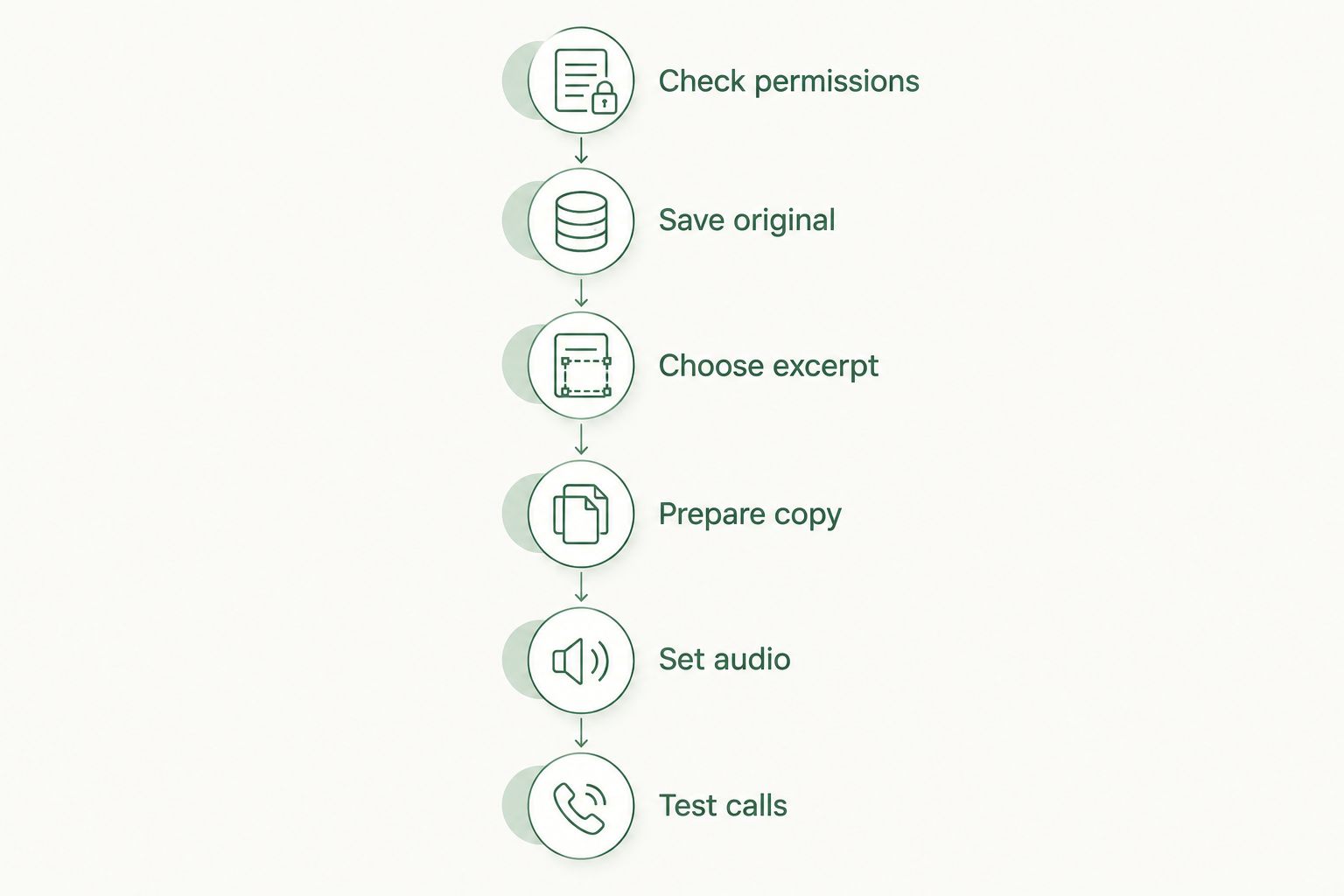
Use this 2026 checklist as a preparation sequence, not as a substitute for your phone or carrier's instructions. Save the original before making any edits.
- Check permissions. Read the terms supplied with the song. Confirm whether personal ringtone use, editing an excerpt, and sharing it through a voicemail greeting are covered. Ask the creator if the wording is unclear.
- Save original. Keep an unchanged copy outside the ringtone or voicemail system. Make at least 1 separate backup before trimming or converting anything.
- Choose excerpt. Select a passage with a natural beginning and ending. Avoid cutting through a name, a meaningful sentence, or a recorded voice message.
- Prepare copy. Edit a duplicate and follow the receiving device or service's format and length requirements. Give the edited file a name that distinguishes it from the full song.
- Set audio. Import the ringtone or record the greeting using the supported process. For voicemail, make your spoken identification and message instructions clear.
- Test calls. Make 2 test calls: one to hear the ringtone and another that reaches voicemail. Listen from the caller's side as well as your own.
You can stop after saving the recording and return to the setup later. There is no need to finish the technical steps on a day when listening feels difficult.
What should the final test cover?
Use 3 checks: audibility, clarity, and comfort. Audibility means the sound is loud enough for its purpose; clarity means the excerpt and any greeting instructions are understandable; comfort means you still want this audio in that setting.
For voicemail, ask a trusted person to listen without explaining the greeting first. Can they tell whose mailbox they reached and when to leave a message? If not, simplify the greeting before adding more music.
Why memorial-song phone setups vary
The song itself is only part of the setup. These factors determine the steps you need:
- Phone software: Your device's supported import process determines how custom audio becomes a selectable ringtone.
- Voicemail service: Your provider determines whether you can upload a file or must record a greeting through its interface.
- Recording permissions: The creator's terms determine which uses and edits are permitted. Do not assume custom production transfers every right.
- Audio content: Vocals, instrumental sections, and personal voice recordings need different editing choices to remain understandable.
- Intended audience: A ringtone can be heard nearby; a voicemail greeting is heard by people who reach your mailbox.
- Personal boundaries: You decide whether an unexpected reminder feels welcome and which memories you want callers to hear.
Before changing phones or voicemail providers in 2026, save your edited excerpt alongside the original. That gives you a starting point for a new setup without treating the existing phone as permanent storage.
Can I use a memorial song on both iPhone and Android?
Yes, a memorial song can serve as custom ringtone audio on iPhone and Android when you follow the supported import process for the specific device. The steps are not interchangeable, so use the current instructions for your phone rather than relying on a file extension alone.
Voicemail remains a separate check. Two people with similar phones can have different greeting options because their voicemail services differ.
Do I need permission if the memorial song was made for me?
Yes, you need permission that covers the intended use, even when the song was made from your memories. Review the agreement rather than assuming payment includes unrestricted editing, redistribution, or caller-facing playback.
If the song includes someone else's recording, lyrics, or performance, ask about those elements too. Keep the question specific: explain that you want a personal ringtone or a voicemail greeting, not a commercial release.
Is it okay to stop using the song as my ringtone?
Yes, you can stop whenever you want. Changing a phone setting does not reduce the meaning of the song or your connection to the person or pet it honors.
You might prefer to hear the recording intentionally instead of whenever a call arrives. Keep the saved version and choose when to listen.
Where a custom memorial song fits
Rememberme is for grieving individuals and families who want a custom memorial song built from personal memories and stories. The service creates professionally produced tributes to deceased loved ones and pets.
The benefit of a Rememberme memorial song is its connection to the memories you provide. The limitation for this particular use is that a custom song still needs a separate compatibility and permissions check before becoming phone audio. Choose Rememberme for the personal tribute, then confirm the ringtone or voicemail requirements before adapting the recording.
FAQ
Can I use the whole memorial song as my ringtone?
Use only the length your phone's custom-ringtone process supports. A short, complete passage is usually more practical for an incoming-call alert than trying to fit the entire tribute.
Will callers hear my memorial ringtone?
Your ringtone plays on your device, not as a replacement for the sound callers normally hear while waiting. A voicemail greeting is separate audio that callers hear when your mailbox answers.
Can I upload a memorial song directly to voicemail?
Direct upload depends on your voicemail provider. Check whether the service accepts an audio file or requires you to record the greeting through its own interface.
Can I use a song that includes my loved one's voice?
Use a voice-containing recording only when you have permission for the intended use and feel comfortable sharing it. In a voicemail greeting, clearly identify the recording as a remembrance rather than implying the person can answer.
Should I put a memorial song on someone else's phone as a surprise?
Ask before changing another person's ringtone or voicemail. Share the recording privately and let them choose whether, when, and how to use it.
Do I have to make my memorial song public?
No, you can keep your memorial song for private listening. Using it as a ringtone or voicemail greeting is optional, not a necessary part of honoring someone.
What if the memorial song sounds distorted in my voicemail?
Listen to a test call and check the recording level and spoken clarity. If the service only records through a microphone, simplify the greeting or keep the music outside voicemail rather than accepting an unclear result.
One last thing
A familiar recording does not need to become an alert to remain part of your life. Before changing your ringtone, play the chosen excerpt once while doing something ordinary and notice whether that is a moment you want it to enter unexpectedly.
Keep the setting easy to change and the original easy to find. You are choosing how to hear a memory, not making a permanent decision about how to remember someone.
Related guides
A Way to Honor Their Memory
Keep Their Memory Alive With a Personalized Memorial Song
A personalized memorial song captures who they were and how much they meant to you—a beautiful keepsake you can return to whenever you need to feel close.
Create a Memorial Song