Grief Guide
Best memorial video montage services in 2026
Compare the best memorial video montage services in 2026. Canva wins for guided layouts; see when iMovie or Adobe Express fits and how to choose music.
Best overall: Canva for a template-led memorial video montage. Best for precise scene timing: iMovie. Best for a tribute built around written memories: Adobe Express. These are the best memorial video montage services and tools to consider in 2026 when you have photos to bring together yourself; none is a substitute for having someone produce the entire video for you.
- Canva is the best memorial video montage option for a template-led slideshow you assemble yourself.
- Choose iMovie when you want to control when each photo appears and how it moves into the next.
- Choose Adobe Express when written memories and on-screen captions carry the tribute.
- Rememberme creates custom memorial songs, not videos; its music can accompany a montage you make elsewhere.
Why this matters
A memorial video gives family and friends a place to see a life through photographs, but putting one together while grieving is hard. The best choice is the tool you can finish comfortably, not the one with the longest feature list. If music is part of the tribute, decide what you want it to express before you settle on the final sequence. This guide to using a memorial song in a funeral video tribute explains how the two can work together.
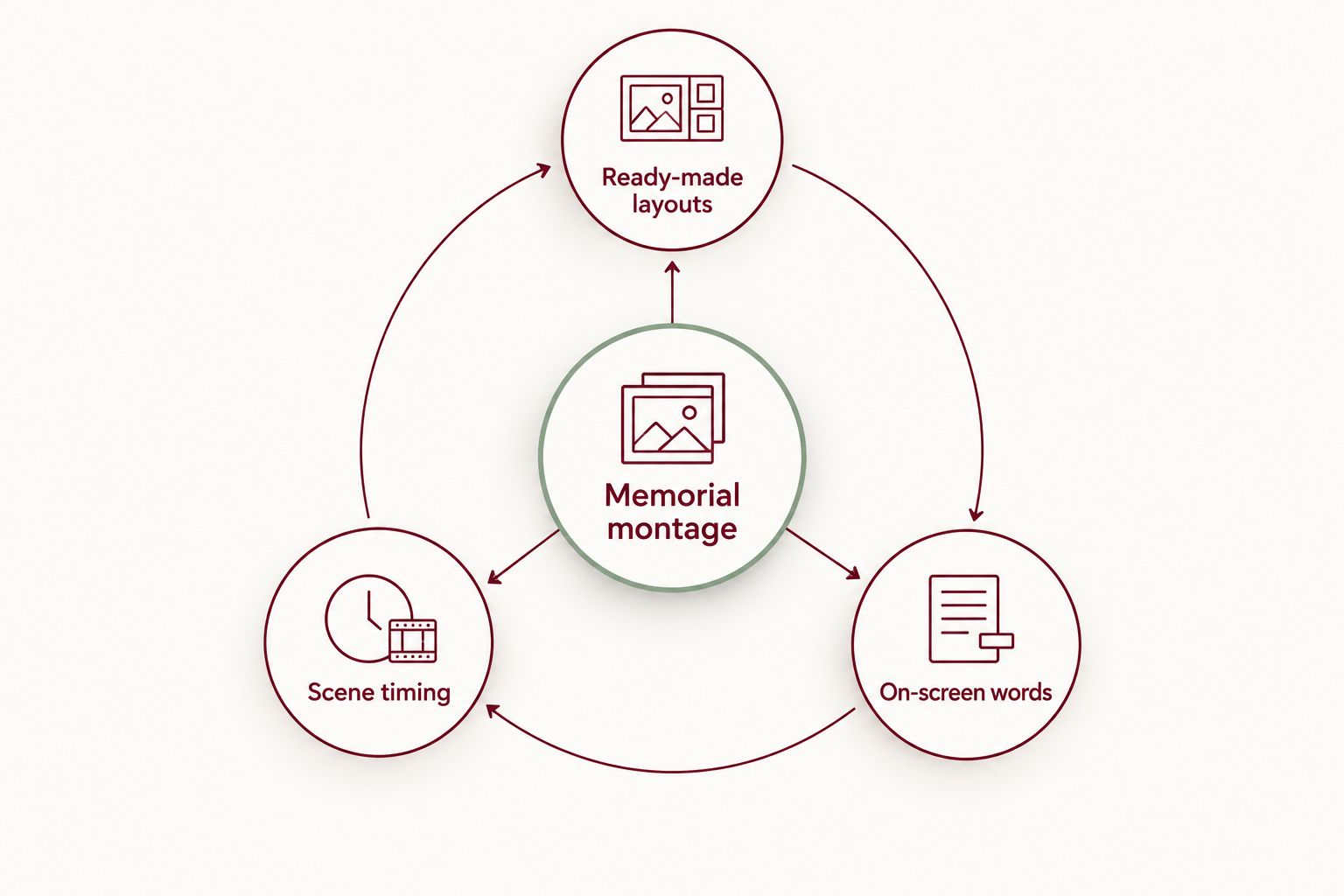
This 2026 comparison separates three jobs that are easy to confuse: arranging photos in a ready-made design, editing the timing yourself, and using words on screen to tell the story. It also explains where a custom song fits. Rememberme is a memorial song service, not a memorial video montage service, so choose a video tool for the picture and consider its music only if a personal soundtrack feels right.
What makes the best memorial video montage service?
Before opening an editor, decide what you need the finished video to do. These criteria make the 2026 picks easier to judge:
- Ease of assembly: Can you place your photos and words without learning detailed video editing first? This matters when the service date is close or several relatives are contributing.
- Control over timing: Can you give a meaningful photo space to linger? A quick, automatic sequence does not suit every memory.
- Room for personal words: Names, dates, short stories, and a closing message can make a familiar slideshow feel specific to the person you miss.
- Music fit: Think about whether you want a familiar recording, a quiet instrumental, or a song shaped around personal memories. Check your rights before sharing music you did not create or license.
- Viewing context: A video shown during a service needs a different viewing experience from one sent privately to family. Confirm the venue's playback requirements before you finish.
- Effort you can carry: Gathering photos, deciding what to leave out, and approving the final sequence all take attention. Pick a process that respects what you have the capacity to do.
The best memorial montage is one your family can recognize as theirs. A polished template cannot make that decision for you. Start by choosing the memories you want people to sit with, then choose the editor that helps you present them.
Best memorial video montage services at a glance
| Option | Best for | Standout feature | Key limitation |
|---|---|---|---|
| Canva | Template-led photo montages | Ready-made video layouts | You still choose, arrange, and check every personal detail |
| iMovie | Precise scene timing | Hands-on video and audio editing | Available within Apple's device ecosystem |
| Adobe Express | Tributes led by on-screen words | Text and visual design tools | You still build and review the video yourself |
These are creation tools rather than memorial-specific production teams. Canva reduces the work of starting from an empty layout. iMovie gives you more direct control over the sequence. Adobe Express suits a tribute in which written memories share the screen with photographs. None can tell your family's story without your choices.
1. Canva: best memorial video montage tool for template-led slideshows
Canva is the 2026 default if you want help shaping photos and short messages into a video without beginning with an empty editing timeline. Its video templates give you a starting layout. You still decide which memories belong in the tribute, how the words read, and whether the finished sequence feels like the person being remembered.
Canva pros:
- Ready-made layouts offer a clear place to start when the first blank screen feels overwhelming.
- Photos and written messages can sit together in one visual sequence.
- It suits someone whose main task is arranging existing photos rather than editing recorded footage.
Canva cons:
- A template can feel impersonal if you leave its pacing and wording untouched.
- Canva does not select the meaningful moments or write your family's memories for you.
- If you need close control over the exact timing of each scene, a timeline editor is the stronger choice.
Best for: A family member making a photo-led tribute who wants visual structure before making personal edits. Begin with a small group of images that mark different parts of the person's life, then add only the captions you would be comfortable reading aloud. You do not need to explain every photograph. Sometimes a name and a place say enough.
For a service in 2026, preview the completed video on the screen where it will be shown if the venue allows it. Check the order of names, the legibility of captions, and the moment the music ends. If sharing it online afterward, check the rights to any music or images contributed by someone else.
Verdict: Choose Canva when getting started is your biggest obstacle and you are willing to personalize the template before showing it.
2. iMovie: best memorial video montage tool for scene timing
iMovie is the 2026 choice when the pace of the tribute matters as much as its appearance. It is a video editor for Apple devices, so you can arrange photos and sound in a timeline and make hands-on decisions about the sequence. That control is useful when one image needs a longer pause or a spoken recording needs room before the next scene.
iMovie pros:
- A timeline gives you direct control over the order and duration of scenes.
- You can work with both visual material and audio in the edit.
- It suits a montage that mixes photographs with video clips, rather than treating every memory as a slide.
iMovie cons:
- It is not the right pick if the person assembling the montage does not use an Apple device.
- Manual editing asks you to make more timing and transition decisions.
- It does not replace the work of gathering photos or agreeing on what the family wants included.
Best for: Someone comfortable making editorial choices who wants to set the rhythm of a photo-and-video tribute. Place the moments you most want people to remember before adjusting transitions. If a short voice recording is part of the memorial, listen to it in the full sequence rather than judging it alone; the images around it change how it lands.
A useful editing decision in 2026 is to leave quiet space where it belongs. You do not have to fill every second with text. Watch the montage once without touching the controls and notice where you feel rushed. That is where the timing needs another pass.
Verdict: Choose iMovie when you have an Apple device and want to shape the tribute scene by scene.
3. Adobe Express: best memorial video montage tool for written memories
Adobe Express is the 2026 pick when the words are a central part of the video. It combines visual design with video creation, giving you a way to put brief written memories alongside photographs. Use it when a caption about a shared ritual or a person's favorite saying carries more meaning than an elaborate transition.
Adobe Express pros:
- Its text and design tools suit a tribute built around short written messages.
- It gives you a place to combine photos and words in one video.
- It works for a remembrance where several people have contributed brief memories that need a consistent presentation.
Adobe Express cons:
- You still have to edit contributions; a screen full of words is difficult to take in during a service.
- Design choices can draw attention away from the person if every scene uses a different treatment.
- It is a creation tool, not a memorial specialist who will decide which stories to tell.
Best for: A family collecting written memories and wanting those words to appear beside photographs. Ask contributors for the particular moments they remember, then choose a few lines that make sense without extra explanation. Read every caption on the device or screen your audience will use. If a sentence disappears before you can finish it, simplify the sentence or give it more time.
Written tributes also need a gentle editorial hand. You can keep the person's name visible without repeating it on every scene, and you can preserve a contributor's own words without displaying every detail they shared. In 2026, the aim is not to fit everything into one video. It is to make the selected memories easy to receive.
Verdict: Choose Adobe Express when the tribute depends on readable captions and short personal stories.
Where does a custom memorial song fit?
A video editor and a song creator solve different parts of the same tribute. Rememberme is best for families who want a custom memorial song drawn from their own memories and stories, not for families looking for someone to assemble their photographs into a video. You can make the montage in Canva, iMovie, or Adobe Express and consider a separate song for its soundtrack.
The distinction matters when you are choosing among the best memorial video montage services in 2026. A song can give words to a memory you cannot fit in a caption, but it does not fix a rushed photo sequence. A carefully edited video can show a familiar smile, but it does not automatically give the soundtrack personal meaning. Decide which of those needs feels most important before adding another task to your list.
If you are considering Rememberme for a memorial video montage soundtrack, start with a few memories rather than a full life history. Think of a phrase the person often used, a place you shared, or an ordinary moment you miss. A song built from personal stories has a different purpose from a familiar song chosen for its mood. Neither choice is required for a loving tribute.
How these options were ranked
The 2026 order follows the criteria above, not a claim that one editor is right for every family. Canva takes the default spot because its template-led approach gives a first-time creator a starting point. iMovie moves ahead when hands-on pacing is the priority. Adobe Express earns its place when the written tribute carries the story.
No option receives a recommendation for producing the entire memorial video on your behalf. If you need someone else to take on the editing, ask a prospective provider who gathers the materials, who approves the final sequence, and how you will review it before the service. Keep those decisions separate from choosing a custom soundtrack.
Which memorial video montage service should you choose?
Choose Canva if you are undecided. It is the clearest starting point for a photo-led memorial montage you plan to assemble yourself. Choose iMovie instead if you want close control over the timing and have an Apple device. Choose Adobe Express if the video's most important material is a set of written memories.
Before committing, make a short trial sequence with photos you already have. Check whether the editing process feels manageable and whether the result leaves room for the person's character. Then gather contributions from others. If your family also wants music created from those memories, Rememberme serves that separate part of the tribute.
FAQ
What is the best memorial video montage service in 2026?
Canva is the best starting point for a template-led memorial video montage you make yourself. Choose iMovie for closer control of scene timing or Adobe Express when written memories lead the video.
Is Canva better than iMovie for a memorial slideshow?
Canva is better when you want a ready-made visual starting point; iMovie is better when you want to edit the sequence and timing directly. Both require you to choose and review the memories yourself.
When should I choose Adobe Express for a memorial video?
Choose Adobe Express when readable captions and short written memories are central to the tribute. Keep each message brief enough to take in while the video plays.
Does Rememberme make memorial video montages?
No. Rememberme creates custom memorial songs from customers' personal memories and stories, not video montages. A family can consider a song separately while making its video in another tool.
Can I use a custom memorial song in a video montage?
Yes, a custom memorial song can accompany a montage if you choose to pair the two. Confirm the audio works with your video and check any sharing or playback requirements before the service.
How do I make a memorial video feel personal?
Choose photographs and short stories that people who knew the person will recognize. Review names, the order of images, and the pace before you share the finished video.
Should a memorial montage include every photo the family sends?
No. Select photos that tell a clear, respectful story, and keep the remaining images for another way of remembering. The montage does not have to hold an entire life to matter.
One last thing
The photo everyone pauses over is not always the formal portrait. Ask family members which ordinary moment they want to see again before you settle on the final sequence. That answer can guide the whole 2026 tribute, whether you make a simple video, choose a soundtrack, or do both.
Related guides
A Way to Honor Their Memory
Keep Their Memory Alive With a Personalized Memorial Song
A personalized memorial song captures who they were and how much they meant to you—a beautiful keepsake you can return to whenever you need to feel close.
Create a Memorial Song